Frequently Asked Questions
K100 Max Change Model

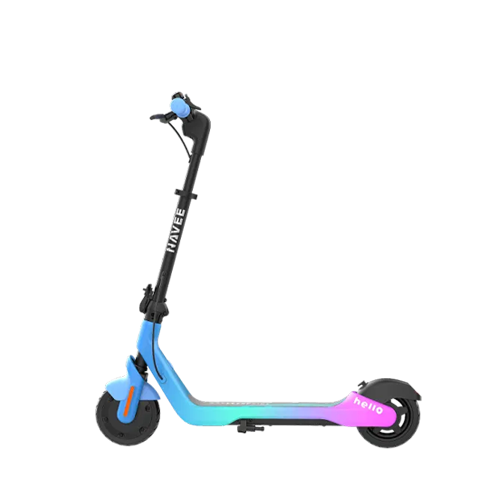
Kids Scooters

K100 Max Featured Image
Power On & Off
Change
Unable to power on

Solution

  1. Check whether the power button below the display screen can rebound normally.
  2. Plug the charger into a power source without connecting it to the scooter. The charger indicator should light green. If it does not, replace the charger.
  3. Connect the charger to the scooter. The display should automatically turn on and show the charging status. If it does not, inspect the connection between the display and the main controller for damage. Replace any damaged components as necessary
Need More Support? If none of the above solutions work, please refer to our self-repair video guides for step-by-step instructions. If the issue persists, contact our official after-sales service center or an authorized repair center for further assistance: service@navee.tech.If none of the above solutions work, please contact our official after-sales service center or authorized repair center for further assistance: service@navee.tech
Unable to power off

Solution

  1. Try turning off the scooter via the app. If it powers off normally, the power button is faulty and the display screen should be replaced.
Need More Support? If none of the above solutions work, please refer to our self-repair video guides for step-by-step instructions. If the issue persists, contact our official after-sales service center or an authorized repair center for further assistance: service@navee.tech.If none of the above solutions work, please contact our official after-sales service center or authorized repair center for further assistance: service@navee.tech
Battery Charging
Change
Unable to get fully charge

Solution

  1. Check whether there is any contact issue with the charging port.
  2. Check whether the charging temperature exceeds the allowed charging range during charging.
  3. Check whether there is any available firmware update and update the firmware in time.
  4. Check the battery information in the App and confirm whether the battery voltage is close to or equal to the charger’s maximum output voltage. If so, it indicates that the battery level display is inaccurate; please report it to NAVEE for a firmware upgrade.
Need More Support? If none of the above solutions work, please refer to our self-repair video guides for step-by-step instructions. If the issue persists, contact our official after-sales service center or an authorized repair center for further assistance: service@navee.tech.If none of the above solutions work, please contact our official after-sales service center or authorized repair center for further assistance: service@navee.tech
Unable to charge

Solution

  1. Connect the charger and check the display for a charging indicator. If no indicator appears, the scooter is not charging.
  2. Confirm whether the charger’s indicator light is on. If not, check the power supply or whether the charger itself is faulty.
  3. Inspect the charging port for any issues. Ensure the charger plug is properly and fully inserted. You can also try a different charger to verify. If the problem persists or the battery is defective, send the scooter for repair.
  4. Check the charging environment. If the temperature is below 0°C or above 40°C, the battery’s temperature protection will prevent charging to extend its lifespan. Charging will resume automatically when the temperature rises above 5°C or falls below 35°C.
Need More Support? If none of the above solutions work, please refer to our self-repair video guides for step-by-step instructions. If the issue persists, contact our official after-sales service center or an authorized repair center for further assistance: service@navee.tech.If none of the above solutions work, please contact our official after-sales service center or authorized repair center for further assistance: service@navee.tech
Mileage Related
Change
Why does the battery drain quickly when the scooter is idle?

Solution

  1. Check for any available firmware updates and upgrade to the latest version.
  2. Fully charge the scooter, record the battery level and voltage, and then completely power it off (dashboard screen completely black, no lock icon). After 6 hours, power it on again and check the battery level and voltage. Battery level change should not exceed 2%, and voltage should not change more than 1 V.
  3. Leaving the lights on while the scooter is idle will increase power consumption. Being in the locked state is not equivalent to being powered off and will still consume energy. Additionally, if the scooter is touched, shaken, or moved, the anti-theft mode may be triggered, which will further increase power consumption.
Need More Support? If none of the above solutions work, please refer to our self-repair video guides for step-by-step instructions. If the issue persists, contact our official after-sales service center or an authorized repair center for further assistance: service@navee.tech.If none of the above solutions work, please contact our official after-sales service center or authorized repair center for further assistance: service@navee.tech
Short range

Solution

  1. Please fully charge the scooter.
  2. Check whether the tire pressure is too low and ensure it meets the required levels (for tubeless tires: 45 psi; for inner/outer tube tires: 50 psi; refer to the actual markings on the tire for the correct pressure).
  3. Check the brake tension to ensure it is not too tight. Lift both the front and rear wheels and manually check whether they rotate smoothly without excessive resistance.
  4. Ride the scooter at a constant speed of 15 km/h (the standard test speed for the nominal range) on a flat road with a fully charged battery, and report the total distance you can achieve.
    (Nominal range: measured with a 75 kg rider, 25 °C ambient temperature, flat road, no wind, at a constant 15 km/h. Actual range may vary due to rider weight, temperature, speed, wind, road conditions, and riding habits. Higher speeds reduce range, and low winter temperatures reduce lithium battery discharge capacity, which also lowers range.)
  5. Cold winter temperatures significantly affect lithium battery discharge capacity. Below 0 °C, the usable battery capacity may drop to 70% of total capacity or lower (the lower the temperature, the greater the reduction).
  6. Other factors affecting range include: riding speed, rider weight, road conditions, driving habits (frequent acceleration and braking), wind speed, tire pressure, and overly tight brakes.
Need More Support? If none of the above solutions work, please refer to our self-repair video guides for step-by-step instructions. If the issue persists, contact our official after-sales service center or an authorized repair center for further assistance: service@navee.tech.If none of the above solutions work, please contact our official after-sales service center or authorized repair center for further assistance: service@navee.tech
Vehicle Noise
Change
Abnormal noise from the motor wheel

Solution

  1. It is normal for the motor to produce electromagnetic noise when running at high speed.
  2. After powering off, lift the motor wheel and rotate it by hand to check for any abnormal noise or resistance. Inspect the fender and fender bracket for deformation or interference caused by loose screws. If none are found, the issue may be with the motor itself.
Need More Support? If none of the above solutions work, please refer to our self-repair video guides for step-by-step instructions. If the issue persists, contact our official after-sales service center or an authorized repair center for further assistance: service@navee.tech.If none of the above solutions work, please contact our official after-sales service center or authorized repair center for further assistance: service@navee.tech
Abnormal noise from the driven wheel

Solution

  1. Lift the wheel off the ground and rotate it to check for any abnormal noise or sticking.
  2. Inspect the fender and fender bracket for deformation or interference caused by loose screws.
  3. Check the front fork, rear fork, and swingarm for cracks or deformation, and ensure all screws are properly tightened.
Need More Support? If none of the above solutions work, please refer to our self-repair video guides for step-by-step instructions. If the issue persists, contact our official after-sales service center or an authorized repair center for further assistance: service@navee.tech.If none of the above solutions work, please contact our official after-sales service center or authorized repair center for further assistance: service@navee.tech
Other abnormal noise

Solution

  1. Check the source of the noise for interference from plastic parts, decorative covers, wiring harnesses, or foreign objects.
  2. Abnormal noise caused by drum brakes or disc brakes.
  3. Noise from loose screws causing parts to shake or rub.
  4. Loose screws inside the battery compartment or a detached battery baffle.
Need More Support? If none of the above solutions work, please refer to our self-repair video guides for step-by-step instructions. If the issue persists, contact our official after-sales service center or an authorized repair center for further assistance: service@navee.tech.If none of the above solutions work, please contact our official after-sales service center or authorized repair center for further assistance: service@navee.tech
Riding Experience
Change
Unable to accelerate

Solution

  1. Make sure to push-start the scooter before using the throttle. The scooter needs to reach a speed of at least 5 km/h by push-starting before pressing the throttle to accelerate. Do not press the throttle while coasting; only apply it once the speed reaches 5 km/h.
  2. With the scooter powered on, push it forward and observe the speed displayed on the dashboard. If the value remains at 0, it indicates a motor malfunction, and the motor needs to be replaced.
  3. If the scooter can reach 5 km/h when push-starting, the issue is most likely with the throttle switch. Replace the throttle switch.
Need More Support? If none of the above solutions work, please refer to our self-repair video guides for step-by-step instructions. If the issue persists, contact our official after-sales service center or an authorized repair center for further assistance: service@navee.tech.If none of the above solutions work, please contact our official after-sales service center or authorized repair center for further assistance: service@navee.tech
Unable to reach maximum speed

Solution

  1. Please check whether the battery is fully charged.
  2. Ensure the scooter is activated and the mode is switched to S mode.
  3. Check the tire pressure and make sure the tires are inflated to the recommended levels (tubeless tires: 45 psi; inner/outer tube tires: 50 psi; refer to the actual markings on the tire).
  4. Push the scooter and check whether the motor is stuck, the brakes are too tight, or the brake lever does not return properly.
  5. Confirm whether the scooter can reach its maximum speed when coasting: lift the motor wheel and rotate it by hand to check if it spins freely or is stuck. If it spins freely, turn the motor wheel with force; when the dashboard speed exceeds 5 km/h, press the throttle to increase speed and check whether the scooter can reach its maximum speed.
Need More Support? If none of the above solutions work, please refer to our self-repair video guides for step-by-step instructions. If the issue persists, contact our official after-sales service center or an authorized repair center for further assistance: service@navee.tech.If none of the above solutions work, please contact our official after-sales service center or authorized repair center for further assistance: service@navee.tech
Unable to brake

Solution

  1. Squeeze the brake lever several times and observe whether it returns to its normal position. If it does not, replace the brake lever.
  2. Check whether the rear light responds when the brake is squeezed. If there is no change, the brake signal is not being triggered, and the brake lever needs to be replaced.
  3. After fully squeezing the brake, push the scooter forward. The front wheel should be locked. If the front wheel can still rotate, the mechanical brake force is insufficient and the brakes need to be adjusted.
Need More Support? If none of the above solutions work, please refer to our self-repair video guides for step-by-step instructions. If the issue persists, contact our official after-sales service center or an authorized repair center for further assistance: service@navee.tech.If none of the above solutions work, please contact our official after-sales service center or authorized repair center for further assistance: service@navee.tech
Handlebar is loose

Solution

  1. If the handlebar is wobbling, check whether the screws securing the headset are loose and tighten them using a 3 mm Allen wrench.
Need More Support? If none of the above solutions work, please refer to our self-repair video guides for step-by-step instructions. If the issue persists, contact our official after-sales service center or an authorized repair center for further assistance: service@navee.tech.If none of the above solutions work, please contact our official after-sales service center or authorized repair center for further assistance: service@navee.tech
Handlebar stem is loose

Solution

  1. Check whether the screws at the base of the stem are loose and tighten them using a 5 mm Allen wrench to reduce stem wobbling.
  2. Check whether the flat-head screws on the stem are loose and tighten them using an adjustable wrench.
Need More Support? If none of the above solutions work, please refer to our self-repair video guides for step-by-step instructions. If the issue persists, contact our official after-sales service center or an authorized repair center for further assistance: service@navee.tech.If none of the above solutions work, please contact our official after-sales service center or authorized repair center for further assistance: service@navee.tech
Vehicle Lights
Change
Ambient Light Malfunction

Solution

  1. If the ambient light is dimming or changing colors abnormally, replace the ambient light module.
  2. If the ambient light does not turn on, connect the scooter via the app and check in the lighting settings whether the ambient light function is enabled.
  3. If only one side is not working, replace the corresponding ambient light. If both sides are not working, it may be a controller malfunction.
Need More Support? If none of the above solutions work, please refer to our self-repair video guides for step-by-step instructions. If the issue persists, contact our official after-sales service center or an authorized repair center for further assistance: service@navee.tech.If none of the above solutions work, please contact our official after-sales service center or authorized repair center for further assistance: service@navee.tech
App / Bluetooth Connection
Change
How to activate the scooter

Solution

  1. After downloading the app and successfully registering and logging in, follow the app instructions to bind the scooter. Once the scooter is successfully bound, it will be activated and the 10 km/h speed limit will be removed.
Need More Support? If none of the above solutions work, please refer to our self-repair video guides for step-by-step instructions. If the issue persists, contact our official after-sales service center or an authorized repair center for further assistance: service@navee.tech.If none of the above solutions work, please contact our official after-sales service center or authorized repair center for further assistance: service@navee.tech
How to unlock the scooter with a password

Solution

  1. In the locked state, briefly press any turn signal button to enter password unlock mode. The dashboard will display the current digit position on the left and the corresponding number on the right. Use the buttons to adjust the digits and briefly press the brake lever to confirm each digit. After entering all 4 digits, press the power button to confirm and unlock the scooter.
  2. Alternatively, follow the illustrations at the bottom of the password settings page in the app to learn how to unlock the scooter using a password.
Need More Support? If none of the above solutions work, please refer to our self-repair video guides for step-by-step instructions. If the issue persists, contact our official after-sales service center or an authorized repair center for further assistance: service@navee.tech.If none of the above solutions work, please contact our official after-sales service center or authorized repair center for further assistance: service@navee.tech
Unable to connect via Bluetooth

Solution

  1. Make sure the phone’s Bluetooth is turned on and the app has permission to access Bluetooth.
  2. Unbind the scooter in the app, reset Bluetooth, and then bind the scooter again.
    Bluetooth reset: While the scooter is powered on, hold the brake lever and quickly press the power button 5 times.
Need More Support? If none of the above solutions work, please refer to our self-repair video guides for step-by-step instructions. If the issue persists, contact our official after-sales service center or an authorized repair center for further assistance: service@navee.tech.If none of the above solutions work, please contact our official after-sales service center or authorized repair center for further assistance: service@navee.tech
Unable to unlock the scooter

Solution

  1. Bring the phone close to the scooter and squeeze the brake lever to unlock.
  2. Open the app and use the slide-to-unlock feature.
Need More Support? If none of the above solutions work, please refer to our self-repair video guides for step-by-step instructions. If the issue persists, contact our official after-sales service center or an authorized repair center for further assistance: service@navee.tech.If none of the above solutions work, please contact our official after-sales service center or authorized repair center for further assistance: service@navee.tech
Unable to bind Find My feature

Solution

  1. Open the NAVEE App, power on the scooter, and bind it in the app. Go to Laboratory Features → Enable Find My. On the scooter, long-press the brake and press the throttle 3 times to activate the scooter’s Find My broadcast mode. Exit the NAVEE App, open the Apple Find My app, tap Add Other Item, and follow the instructions to bind the scooter in the Find My app.
  2. After powering on the scooter, with the scooter neither electronically locked nor charging, hold the brake and press the throttle 5 times. If the display turns off, the scooter has been reset to factory settings, and the Find My binding is removed. To rebind, first delete the scooter information in the Apple Find My app, then bind the scooter again in the Apple Find My app.
Need More Support? If none of the above solutions work, please refer to our self-repair video guides for step-by-step instructions. If the issue persists, contact our official after-sales service center or an authorized repair center for further assistance: service@navee.tech.If none of the above solutions work, please contact our official after-sales service center or authorized repair center for further assistance: service@navee.tech
Unable to locate scooter via Find My

Solution

  1. Ensure the scooter’s battery is sufficiently charged. If the battery is too low and the scooter has not been used for a long time, it may enter sleep mode, causing the Find My feature to stop working.
  2. There must be an Apple device nearby with internet access, Bluetooth, and location services enabled; otherwise, the scooter’s location will remain at its last recorded position.
  3. Make sure the phone is bound to the scooter and the scooter has not manually disabled the Find My feature. If issues persist, try unbinding and rebinding the scooter.
Need More Support? If none of the above solutions work, please refer to our self-repair video guides for step-by-step instructions. If the issue persists, contact our official after-sales service center or an authorized repair center for further assistance: service@navee.tech.If none of the above solutions work, please contact our official after-sales service center or authorized repair center for further assistance: service@navee.tech

Feature Usage Issue
Change
How to prevent skidding

Solution

  1. Note: Low tire pressure (soft tires) increases the risk of skidding, while high tire pressure (hard tires) reduces traction.
  2. Check tire pressure monthly and inflate to the recommended value; when pressing the tires with both hands, there should be no noticeable deformation.
  3. Inspect tires regularly. Replace original tires immediately if tread depth is <1 mm or if there are visible cracks on the surface.
  4. After riding, if tires are wet, muddy, or oily, wipe the tire surface with a damp cloth to remove debris that could reduce traction.
  5. Riding technique: Avoid sudden acceleration or hard braking. Lean forward when climbing, shift weight backward when descending, slow down before turns, and keep your body upright—avoid excessive tilting.
  6. Enable the TCS (Traction Control System) in the app.
  7. On slippery or loose surfaces (wet roads, gravel, or mud), switch to a lower power mode, maintain a steady straight-line speed, reduce speed to ≤10 km/h, minimize wheel spin, and avoid sudden braking.
  8. If skidding occurs, release the throttle and keep the scooter upright; gently squeeze the brakes to gradually slow down to a stop, then check tires for punctures or abnormal pressure.
Need More Support? If none of the above solutions work, please refer to our self-repair video guides for step-by-step instructions. If the issue persists, contact our official after-sales service center or an authorized repair center for further assistance: service@navee.tech.If none of the above solutions work, please contact our official after-sales service center or authorized repair center for further assistance: service@navee.tech
Can the scooter operate before activation?

An unactivated scooter cannot access all features. You can ride it at a maximum speed of 10 km/h, but activating it promptly is recommended for a better riding experience.

Need More Support? If none of the above solutions work, please refer to our self-repair video guides for step-by-step instructions. If the issue persists, contact our official after-sales service center or an authorized repair center for further assistance: service@navee.tech.If none of the above solutions work, please contact our official after-sales service center or authorized repair center for further assistance: service@navee.tech
Unable to tighten the handlebar screws

Solution

  1. First, screw the bolt into the handlebar by itself to check if it can be tightened properly. Make sure to screw the bolt in vertically. If it was misaligned on the first attempt, do not follow the crooked thread—always screw it in vertically.
  2. If it cannot be tightened, try replacing it with another bolt. If the new bolt can be tightened properly, use it as a replacement. If it still cannot be tightened, the threaded hole is damaged and you will need to contact after-sales service for repair.
  3. Insert the handlebar into the stem, adjust the angle so the holes align, pre-tighten the bolts in sequence, then cross-tighten them.
Need More Support? If none of the above solutions work, please refer to our self-repair video guides for step-by-step instructions. If the issue persists, contact our official after-sales service center or an authorized repair center for further assistance: service@navee.tech.If none of the above solutions work, please contact our official after-sales service center or authorized repair center for further assistance: service@navee.tech
The handlebar cannot lock into place after folding.

Solution

  1. The brake lever angle may be incorrect, preventing the handlebar from hooking properly after folding, or making it impossible to release once hooked. Loosen the screws on the brake lever and adjust its angle.
  2. Check the hook angle and adjust the fender or the hook as needed.
Need More Support? If none of the above solutions work, please refer to our self-repair video guides for step-by-step instructions. If the issue persists, contact our official after-sales service center or an authorized repair center for further assistance: service@navee.tech.If none of the above solutions work, please contact our official after-sales service center or authorized repair center for further assistance: service@navee.tech
Maintenance & Basic Care
Change
Battery Maintenance

1.Battery Usage

1.1. Use the battery within an ambient temperature range of -10 to 40°C.
1.2. Keep the battery away from heat sources, open flames, and flammable or explosive materials during use or storage.
1.3. Avoid dropping or subjecting the battery to heavy impact.

2.Battery Charging

2.1. Charge the battery for no longer than 12 hours to prevent overcharging and reduce battery lifespan.
2.2. Charge the battery promptly when the level drops below 20% to avoid deep discharge, which shortens battery life.
2.3. Always use the official manufacturer’s charger.
2.4. When charging, park the scooter in a cool, ventilated place; avoid direct sunlight or high temperatures. If the scooter has been ridden in a hot environment, allow it to rest for 30 minutes before charging to let the battery surface cool.
2.5. Place the charger in a ventilated, dry area during charging. Ensure no objects cover the charger. If the charger indicator flashes red/green, does not light up, or the battery overheats, stop charging immediately. Once fully charged, disconnect the charger promptly to avoid prolonged connection.

3.Battery Storage

3.1. Store the scooter in a dry, well-ventilated area to prevent moisture or damage to the battery. For long-term storage, fully charge the battery and recharge every 60 days to prevent deep discharge.

4.Reduced Battery Range

4.1. Low tire pressure increases power output and reduces range. Regularly check tire pressure and maintain both front and rear tires within the recommended range.
4.2. Refer to the tire surface markings for recommended pressure values.

5.Battery Malfunction

5.1. If the scooter does not power on, try charging first. If it still does not charge, follow the battery troubleshooting guide for the specific model. Perform all operations in a legally safe environment with the power disconnected.
5.2. Frequent overcharge or deep discharge may reduce battery lifespan.

Need More Support? If none of the above solutions work, please refer to our self-repair video guides for step-by-step instructions. If the issue persists, contact our official after-sales service center or an authorized repair center for further assistance: service@navee.tech.If none of the above solutions work, please contact our official after-sales service center or authorized repair center for further assistance: service@navee.tech
Tire Maintenance

1.Tire Pressure Check

Frequency: Recommended once per month or whenever low pressure is suspected, and before riding if the scooter has been parked for more than 30 days.

Standard Range: 42–48 PSI (290–330 kPa)
Safety Range: 30–55 PSI (207–379 kPa)
Measurement Conditions: Tires cold (static ≥2 hours or ridden ≤3 km).
Tool: Pressure gauge (accuracy ≥ ±1 PSI).

2.Damage Inspection

Visual / Tactile Check: Inspect the tire for cracks, bulges, or foreign objects.
Minor Damage: Scratches less than 2 mm deep and shorter than 5 mm, with no cord exposure, can continue to be monitored. Keep observing tire condition.
Severe Damage: Scratches ≥2 mm deep, cracks >5 mm long, cord exposure, or bulges >10 mm in diameter—replace the tire.
Abnormal Pressure: Weekly pressure drop >15% and requiring repeated inflation—replace the tire.

3.Tread Depth Check

Threshold: ≤0.8 mm or aligned with wear indicators—replace the tire.
Tool: Depth gauge or visual inspection.

4.Cleaning and Maintenance

4.1. Regularly clean the tires to remove dirt, oil, or other debris.
4.2. Use mild cleaners and a soft cloth; avoid highly corrosive chemicals.
4.3. Remove stones, metal fragments, or other hard objects from the tire to prevent accelerated wear.

Need More Support? If none of the above solutions work, please refer to our self-repair video guides for step-by-step instructions. If the issue persists, contact our official after-sales service center or an authorized repair center for further assistance: service@navee.tech.If none of the above solutions work, please contact our official after-sales service center or authorized repair center for further assistance: service@navee.tech
Wheel Motor and Non-driven Wheel Maintenance Guidelines

1.Hub Motor

1.1. Check whether the hub motor nuts securing it to the frame are loose. If loosened, apply thread locker and tighten to a torque of 65 ± 2 N·m.
1.2. Check the hub end cap screws for looseness. If loose, tighten them using a T25 Torx wrench.
1.3. With the power off, manually rotate the motor to check for any binding during free rotation. If significant resistance is detected, replace the hub motor immediately.
1.4. Inspect the hub motor for cracks or deformation, and check the motor wiring harness for damage or breakage. If cracks, deformation, or damaged/broken wires are found, replace the hub motor promptly.

Warning:
Damaged motor wires that are not addressed promptly may pose an electric shock risk.

2.Non-Motor Wheels

2.1. Check the wheel hub surface for cracks or deformation. Replace the hub if any damage is found.
2.2. Check the wheel fixing screws for looseness. If loose, apply red thread locker and retighten to a torque of 45 ± 1 N·m.
2.3. Manually rotate the wheel to ensure smooth movement. If binding occurs without foreign objects, replace the wheel hub promptly.

Warning:
Loose wheel fixing screws can cause wobbling or compromise riding safety.

Need More Support? If none of the above solutions work, please refer to our self-repair video guides for step-by-step instructions. If the issue persists, contact our official after-sales service center or an authorized repair center for further assistance: service@navee.tech.If none of the above solutions work, please contact our official after-sales service center or authorized repair center for further assistance: service@navee.tech
Handlebar Maintenance

1.Handlebar Check

1.1. Before riding, inspect all components on the headset assembly for damage. If any damage is found, replace the affected parts promptly.
1.2. Every 3 months or every 500 km, check the screws connecting the headset assembly to the stem. If any are loose, re-tighten them to a torque of 3 ± 0.5 N·m.

2.Folding Mechanism Check

2.1. Before riding, ensure the folding button and folding latch are properly engaged.
2.2. Confirm that the scooter is securely locked in place; check that the folding pin is seated in the designated slot.
2.3. Periodically inspect the folding area for any play or wobbling. If significant movement is detected, have the scooter checked at an authorized service center.

Warning:

Before riding, always check that the folding mechanism opens and closes normally and that there is no visible damage. Failure to secure the mechanism properly or wear and aging of parts may lead to safety risks while riding.

Need More Support? If none of the above solutions work, please refer to our self-repair video guides for step-by-step instructions. If the issue persists, contact our official after-sales service center or an authorized repair center for further assistance: service@navee.tech.If none of the above solutions work, please contact our official after-sales service center or authorized repair center for further assistance: service@navee.tech
Brake System Maintenance Guidelines

1.Brake Force Check

Regularly check the braking force (recommended every 500 km or every 3 months): with the scooter powered off, hold the left handle and push the scooter forward to see if the front wheel can lock and skid. If the front wheel does not lock, adjustment is required.

2.Brake Lever Check

2.1. Before riding, inspect the brake lever for cracks or deformation. If any of these issues are found, replace the brake lever immediately. If the lever is loose, tighten the brake lever fixing screws (before tightening, check that the screws and nuts can be securely fastened, without stripped threads, breakage, or rust).
For brake lever replacement instructions, refer to the “Left Brake Lever Replacement” video.
2.2. Regularly (recommended every 500 km or every 3 months) check and clean dirt or debris from the brake lever pivot. Apply grease to mechanical parts (e.g., springs, pivot points) to ensure the lever has a clear travel feel when pulled and automatically returns when released.

3.Brake Cable Check

3.1. Regularly (recommended every 500 km or every 3 months) inspect the brake cable. If there is damage, fraying, or sticking, replace it immediately. If the brake cable fixing screws are loose, apply thread locker and re-tighten with a torque wrench (torque: 8.0 ± 0.5 N·m).
3.2. When pulling the brake lever, check the brake cable tension. If it is too loose or too tight, adjust the cable accordingly.

4.Drum and Disc Brake Check

4.1. Regularly (recommended every 2000 km or every 12 months) inspect the drum brake performance. If braking distance is noticeably extended and adjusting the cable does not improve it, internal wear or damage of the drum or disc brake may be the cause. Visit an officially authorized service center for repair.
4.2. Rotate the wheel while squeezing the brake. If you hear a “grinding” sound, it may be caused by sand inside the drum brake or wear of the brake shoes. If a sharp metallic sound occurs during hard braking, it may indicate brake shoe wear or spring failure. Seek repair at an authorized service center promptly.

Warnings:

Regularly inspect the braking system to prevent safety risks due to brake failure.

Do not disassemble the core structure of drum or disc brakes (e.g., self-adjusting components) unless authorized. Incorrect installation can cause brake lock-up.
Need More Support? If none of the above solutions work, please refer to our self-repair video guides for step-by-step instructions. If the issue persists, contact our official after-sales service center or an authorized repair center for further assistance: service@navee.tech.If none of the above solutions work, please contact our official after-sales service center or authorized repair center for further assistance: service@navee.tech

Official Repair Videos: The Complete Guide

Explore More
Online Chat